
Modifications to a Lottery Request
All information on a lottery request can be modified with the exception of the date of the request.
Deleting/Replacing a Player in a Lottery Request
To replace player(s) in a lottery request on the SCW Web Portal:
1. Login to the Member Portal. The request can be found by clicking My Account > My Itinerary.
2. Click the request to see the details.
3. Click the "Manage" button to make player changes to the request.
4. Click “Next” to continue to the Group/Player page, leave Request date and Lottery Details as is.
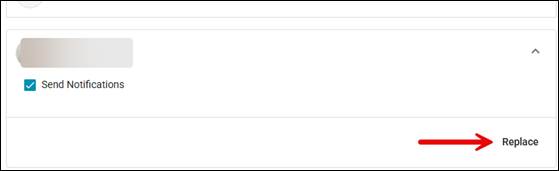
5. Select the player from the group details, then click the "Replace" button on anyone you want to replace.
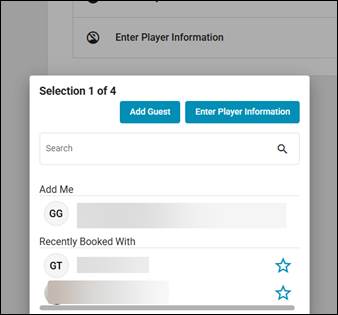
6. From the Search popup that appears, you can search for a Player by name or member number or choose Add Guest.
We recommend searching Members by Member number.
7. The selected player will appear in the Player Details area. You can choose to send an email notification by leaving the “Send Notifications” box checked, uncheck if you do not want to send an email notification.
8. Click “Submit Request” to submit your updated request.
You can view your lottery request / Tee Time Request by going to My Account > My Itinerary.
To remove player(s) from a lottery request on the SCW Web Portal:
1. Login to the Member Portal. The request can be found by clicking My Account > My Itinerary.
2. Click the request to see the details.
3. Click the "Manage" button to make player changes to the request.
4. Click “Next” to continue to the Group/Player page, leave Request date and Lottery Details as is.
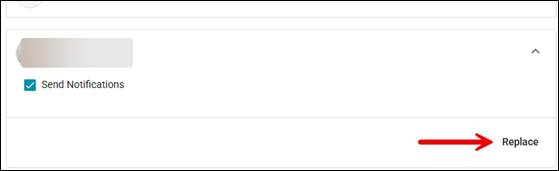
5. Select the player from the group details, then click the "Replace" button on anyone you want to remove.
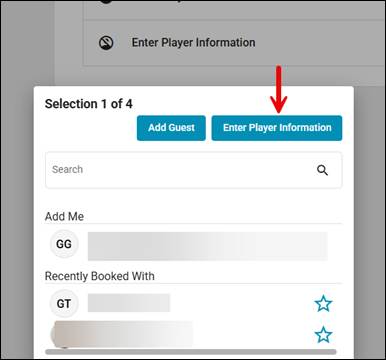
6. From the Search popup that appears, click the "Enter Player Information" button on the top, it will clear the selection and remove the selected player.
7. Click “Submit Request” to submit your updated request.
You can view your lottery request / Tee Time Request by going to My Account > My Itinerary.