
Lottery Request Instructions
RCSCW Tutorial - creating a lottery request for a Single group
RCSCW Tutorial - creating a lottery request for Multiple groups
1. Login to the Sun City West Portal.
2. Click on the Lottery Tab on the top ribbon.

3. Select a date within the two-week window of dates.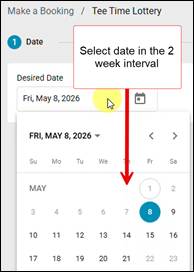
4. Click the green “Next” button to continue.
5. Select the “Desired Time/ Earliest Time/ Latest Time” using the dropdown Time Picker.
6. Select the # of Groups (# of Tee Times).
Example: If you want to book 24 players you need to select 6 Groups which is 6 Tee Times.
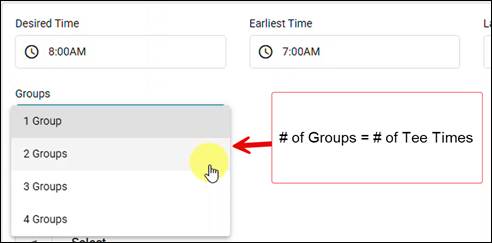
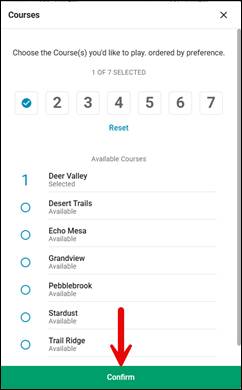
7. Click “Select” button to select the course(s) by your priority. Click “Confirm” to continue.

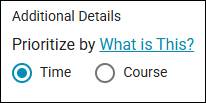
8. Under Additional Details, select how you’d like to prioritize your request.
9. Click Next to continue.
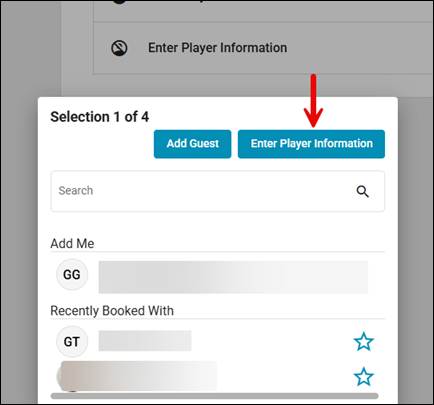
10. Click “Enter Player Information” to expose the buttons below.
11. Click the “Replace” button to show the Search/Selection options.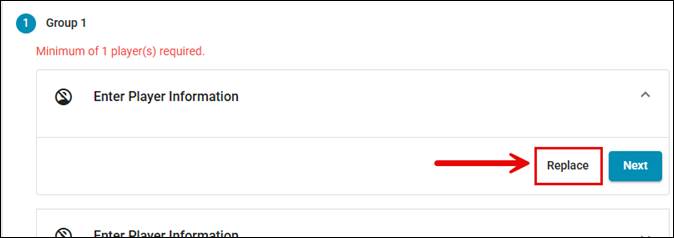
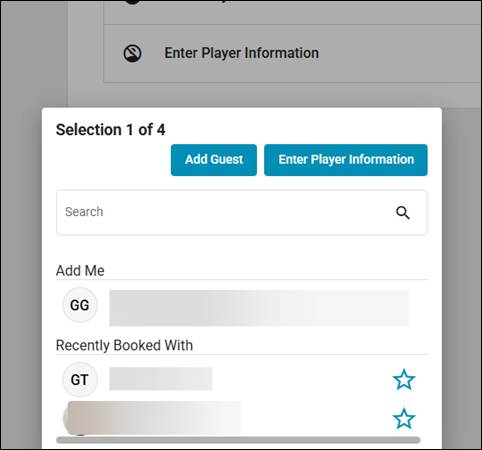
12. You can search for Players by name or member number or choose Add Guest.
We recommend searching Members by Member number.
13. Selected player will appear in the Group details area.
14. You can choose to send an email notification by leaving the “Send Notifications” box checked, uncheck if you do not want to send an email notification.
15. Click Next or select the following “Enter Player Information” drop down box to enter the next player.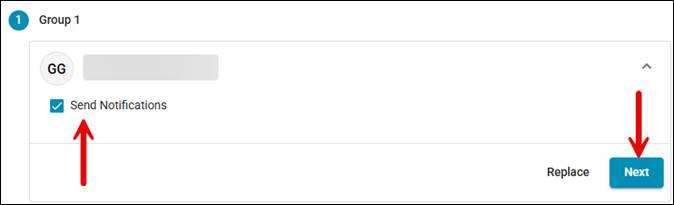
16. Repeat steps 10 – 15 to enter each Player Information for each of your Groups.
17. Click “Submit Request” to submit your request.
You will be redirected to a Conformation page where you can review your Lottery Request details.
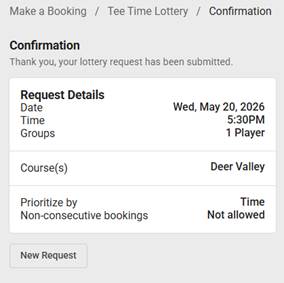
You can view your lottery request / Tee Time Request by going to My Account > My Itinerary.
Click the request to see the details.
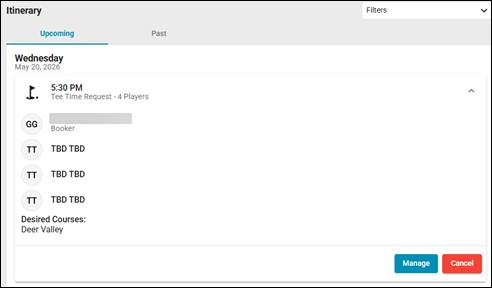
TO EDIT OR CANCEL A LOTTERY REQUEST
Note: To change the day, you will need to “Cancel Request”. To make changes to your time, # of teetimes, course selections or players you will need to edit the request.
Edit/Modify Players on Request
1. Login to the Member Portal. The request can be found by clicking My Account > My Itinerary.
2. Click the request to see the details.
3. Click the "Manage" button to make player changes to the request.
4. Leave Request date and Lottery Details as is, click Next to continue to the Group/Player page.
5. Select the player from the group, then click the "Replace" button on anyone you want to remove or modify. To remove a player, click the "Enter Player Information" button on the top, it will clear the selection.
CANCEL REQUEST
The booker can cancel a tee time booking up to 24 hours in advance of the tee time. To cancel a tee time within 24 hours of the tee time you will need to call the course directly.
1. Login to the Member Portal. The request can be found by clicking My Account > My Itinerary.
2. Click the request to see the details.
3. Click the "Cancel” button to cancel the request.
For more information please see our other FAQs or should you need further assistance, please submit a ticket - Click Here